
















Mastering the Tracks in Free Rider HD
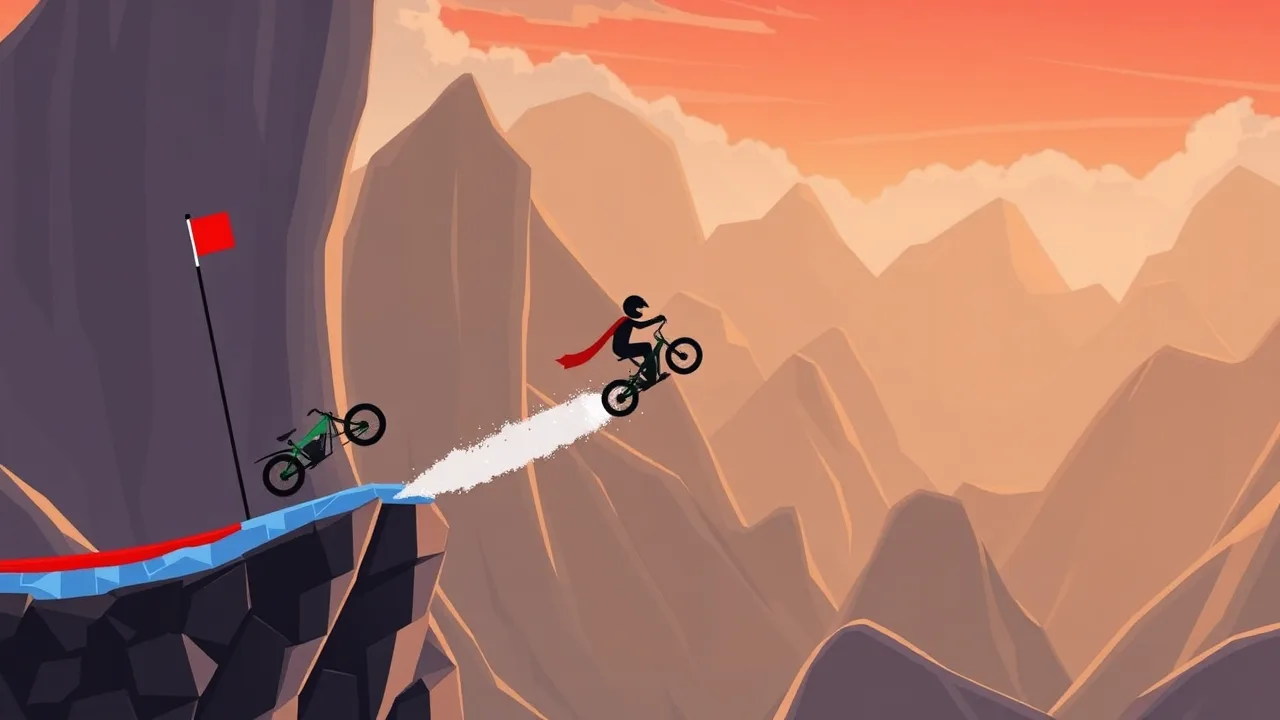
Free Rider HD brings the classic stick-figure physics racing experience to the browser with crisp visuals and a massive library of user-generated tracks. Whether you are a returning fan of the original Flash era or a newcomer looking for a quick adrenaline rush, this unblocked title offers a perfect mix of creativity and precision driving. The game invites you to jump on your bike and tackle gravity-defying loops, steep drops, and intricate obstacle courses designed by players from around the world.
Understanding the Core Mechanics
At its heart, the game relies on a simple yet addictive physics engine. Your goal is to guide your stick-figure rider from the starting ramp to the finish flag without crashing. Success depends on balancing speed with control. You must manage your momentum to clear large gaps while leaning forward or backward to maintain stability upon landing. The controls are intuitive, usually requiring just the arrow keys or WASD, but mastering the subtle nuances of air control takes practice.
Navigating the Track Builder
One of the most compelling features is the integrated track editor. This tool allows you to become the architect of your own challenges. You can draw lines, place obstacles, and set checkpoints to create anything from a simple downhill slope to a complex technical course. The editor is user-friendly, making it accessible for beginners to start building immediately. Sharing your creations with the community adds a layer of social interaction, as you can see how others tackle your designs.
| Feature | Details |
|---|---|
| Gameplay Style | 2D Physics-based Racing |
| Controls | Arrow Keys / WASD for movement and balance |
| Session Pace | Fast-paced with quick restarts |
| Device Fit | Optimized for Desktop Browsers |
| Category Match | Driving, Skill, and Stunt Games |
Strategies for Staying Upright
Crashing is inevitable, but learning from mistakes is key to progression. When navigating steep inclines, try to keep your weight centered. On sharp turns, tapping the lean keys rather than holding them helps maintain traction. If you find yourself flipping uncontrollably in the air, remember that you can often recover by adjusting your rotation to land on the wheels. Speed is your friend on flat sections, but caution is required when approaching technical jumps.
Exploring the Community Track Library
The longevity of Free Rider HD comes from its endless supply of content. The community uploads thousands of tracks daily, ranging from "autocross" styles that focus on speed to "d&d" (draw and drive) maps that emphasize puzzle-solving. You can browse tracks by difficulty, rating, or newest uploads. This variety ensures that you never run out of challenges, whether you have five minutes or an hour to play. It is one of the best places to find free online games that rely on skill rather than pay-to-win mechanics.
Optimizing Your Setup for Performance
Since this is a browser-based game, performance can vary depending on your hardware and browser choice. For the smoothest experience, it is recommended to use a modern browser like Chrome or Firefox. Closing unnecessary tabs can free up memory, ensuring that the frame rate stays high during complex tracks with many moving parts. The game renders well on most screens, but a larger monitor can help you see upcoming obstacles more clearly.
Mastering the Art of the Bunny Hop
Advanced players often use a technique known as "bunny hopping" to maintain speed over rough terrain. By tapping the jump key rhythmically while moving forward, you can bypass friction-heavy sections that would otherwise slow you down. This technique is essential for competing on leaderboards and completing speed-run tracks. It requires precise timing and a good feel for the game's jump physics, but once mastered, it significantly improves your overall efficiency.
Why This Game Fits Any Schedule
Free Rider HD is designed for accessibility. There are no long loading screens or complex login requirements. You can jump in, complete a few tracks, and close the tab without commitment. This makes it an ideal choice for a quick break. The game is part of a growing catalog of browser games that prioritize fun and skill over monetization. If you enjoy this experience, you might want to explore our game library for similar titles that offer instant playability.
Frequently Asked Questions
How do I save my progress in the track editor?
The track editor typically saves your work automatically to your browser's local storage, but it is always a good idea to export your track file if you want to keep a backup.
Can I play this on a mobile device?
While the game is optimized for desktop browsers with keyboard controls, some mobile versions or adaptations may exist, though the experience is best on a computer.
Is there a way to race against other players?
Currently, the game focuses on single-player time trials, but you can compete asynchronously by comparing completion times on the same community tracks.
What should I do if a track is too difficult?
Don't give up! Use the checkpoint system to respawn closer to your failure point, or try leaning forward more aggressively to gain speed for difficult jumps.