















The Ultimate Guide to Mastering Game Pou
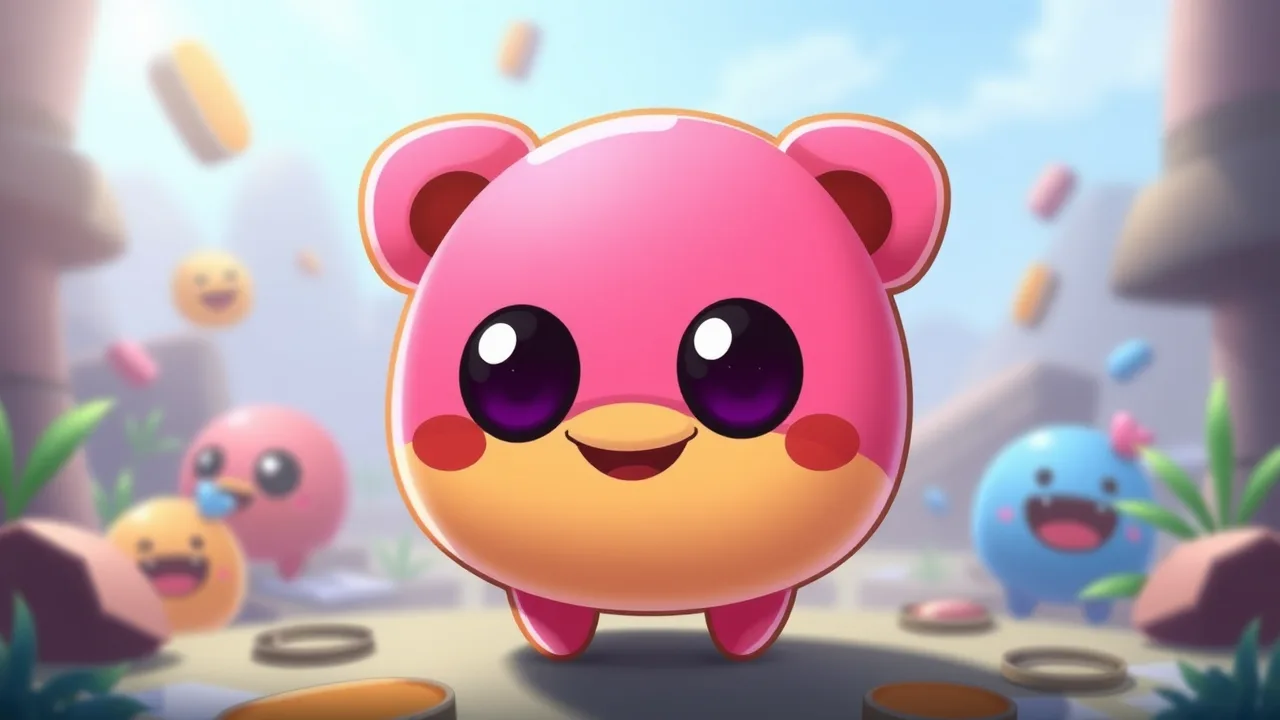
Step into the world of virtual pet care with Game Pou, a charming and addictive simulation that puts you in charge of an adorable, alien blob. This digital companion relies entirely on your attention and care to grow from a tiny hatchling into a happy, healthy adult. The game blends simple mechanics with a surprising depth of customization and mini-games, creating a loop that keeps players coming back to check on their little friend. Whether you have a few minutes or a few hours, this guide will walk you through everything you need to know to provide the best life for your digital pet.
When you first start, you are greeted by a small, round creature with big eyes and a distinct lack of hair. This is your Pou. The core concept is reminiscent of classic virtual pets where you must monitor various stats like hunger, energy, and hygiene. Neglecting these stats can lead to an unhappy pet, so the primary gameplay loop involves feeding, cleaning, and playing. The interface is intuitive, usually featuring icons at the bottom of the screen to switch between the kitchen, bathroom, bedroom, and playroom. It is a relaxing experience that simulates the responsibilities of pet ownership in a fun, low-stakes environment.
Understanding the Core Gameplay Loop
The main goal is to keep your Pou's happiness meter high. This is achieved by balancing four key needs: food, sleep, fun, and hygiene. You will need to feed your pet when it is hungry, put it to sleep when it is tired, wash it when it gets dirty, and play games when it is bored. As you take care of these needs, your Pou gains experience points and levels up. Leveling up is crucial because it unlocks new items, colors, and features in the shop. The game runs in real-time, meaning your Pou will get hungry or tired even when you are not actively playing, encouraging you to check in regularly.
Essential Care and Maintenance Tips
Efficiently managing your pet's needs requires a bit of strategy. For example, feeding your Pou too much candy or junk food might fill its hunger bar, but it could also affect its weight or health stats. It is better to stick to a balanced diet of meals and healthy snacks. In the bathroom, you have two options: the shower or the soap. The shower is faster, but using soap and scrubbing can sometimes be more satisfying or yield different visual results. Keeping a routine helps you remember when your Pou last ate or slept, preventing the stats from dropping too low before you notice.
Customizing Your Pet's Appearance
One of the most engaging aspects of the game is the ability to personalize your Pou. The shop is filled with accessories that change how your pet looks. You can buy hats, glasses, and outfits to give your Pou a unique personality. Beyond clothing, you can change the background of the room to suit your style, or even change the color of your Pou itself. These items usually cost coins, which you earn by playing mini-games or leveling up. Collecting these items adds a layer of progression to the game, giving you something to work towards beyond just basic care.
Game Statistics and Quick Reference
To help you understand the basic mechanics at a glance, here is a quick reference table outlining the primary features and gameplay elements. This schema covers the essential aspects of the simulation and how you interact with it.
| Feature | Details |
|---|---|
| Gameplay Style | Virtual Pet Simulation |
| Primary Controls | Tap to interact, drag items |
| Session Pace | Casual, check-in based |
| Device Fit | Mobile and Tablet |
| Progression | Leveling up unlocks items |
Mastering the Mini-Games for Coins
Coins are the currency of the game, and the best way to earn them is by playing the built-in mini-games. There is a wide variety of games available, ranging from simple puzzle games to action-packed challenges. Some popular options include "Sky Jump," where you guide your Pou up platforms, or "Food Drop," where you sort falling items. Mastering these games is the fastest way to afford the expensive accessories and room upgrades. It is worth trying out every mini-game to see which ones you are best at, as the rewards can add up quickly if you play consistently.
Exploring the Lab and Special Features
As you progress and level up, you unlock access to the Lab. This is a special area where you can use potions to alter your Pou or the gameplay experience. Potions can do things like make your Pou grow instantly, change its size, or even change its color. Some potions might make your Pou fly or change the physics of the game. These are fun, experimental features that add a layer of variety to the standard care routine. You can often find potions as rewards for leveling up or purchasing them with coins if you want to experiment immediately.
How to Play Game Pou
Getting started is simple and requires no prior experience. The game is designed to be accessible to players of all ages, with simple tap controls and clear visual cues. You can play it directly in your browser or on a mobile device, making it a perfect companion for a quick break or a relaxing evening. The game saves your progress automatically, so you can pick up right where you left off.
Ready to take care of your own virtual pet? You can start playing Game Pou right now by clicking the link below. Give your new friend a name, feed it some pancakes, and see how high you can level up!
Frequently Asked Questions
How do I get more coins in the game?
The most effective way to earn coins is by playing the mini-games found in the game menu. You can also earn coins by leveling up your Pou or by watching short advertisements if the option is available.
What happens if I don't play for a while?
If you leave the game for a long time, your Pou's stats will drop. It will likely be hungry, dirty, and tired when you return. You will need to spend some time cleaning and feeding it to get it back to a happy state.
Can I change the color of my Pou?
Yes, you can change your Pou's color. You can do this by purchasing a color potion from the Lab or by using the color wheel if it is unlocked in your version of the game.